The roster
Every automation built for you, each naming what it does and who built it.
Swipe to see the whole screen
Every automation is a graph you can open, a sentence you can edit, and a run you can replay. Built for you, by you, or recorded from your screen.
The automations the Advizr team built for you, what is running right now, and how each one starts.
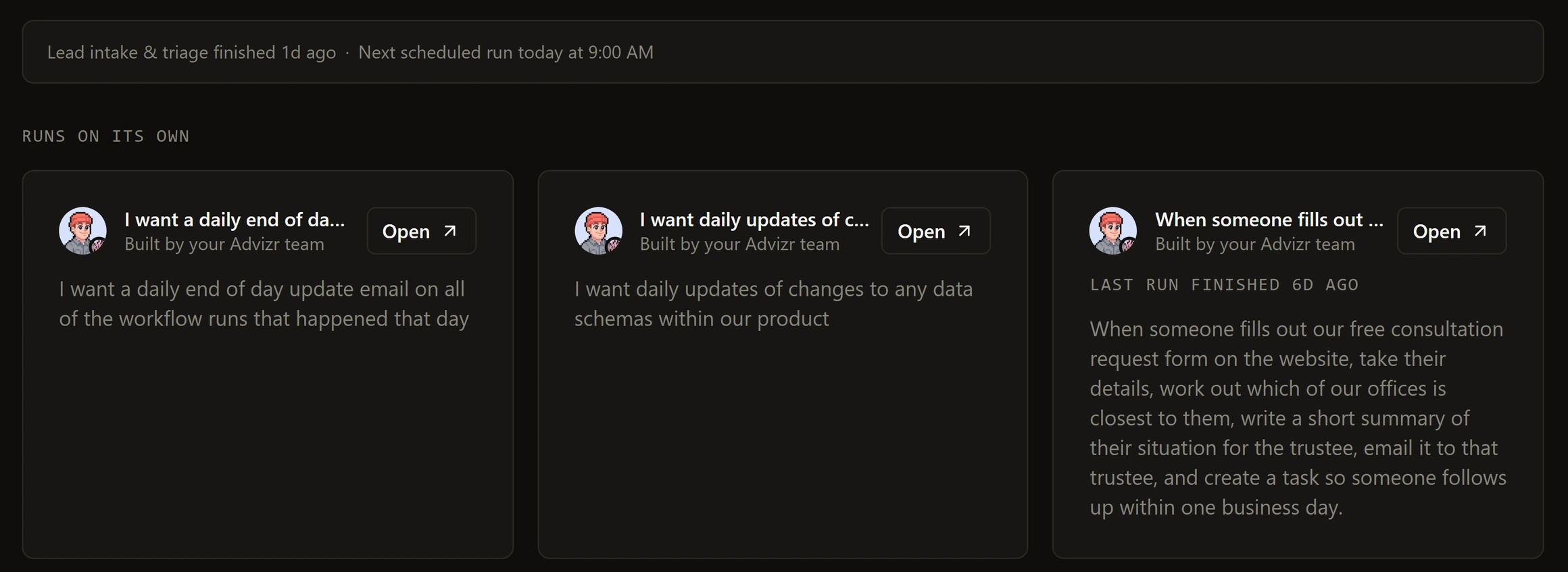
Every automation built for you, each naming what it does and who built it.
Swipe to see the whole screen
A quiet strip above the roster: one line per active run, and the next wake-up when all is quiet.
Swipe to see the whole screen
By hand, on a schedule with a timezone, on a webhook you can rotate, from a form, from an app event, or from another flow.
Swipe to see the whole screen
A workflow that keeps failing pauses itself and tells you. Failed runs retry on backoff. A fallback flow can take over.
Swipe to see the whole screen
Describe it in a sentence, or start from one of 53 templates, then read the graph before it runs.
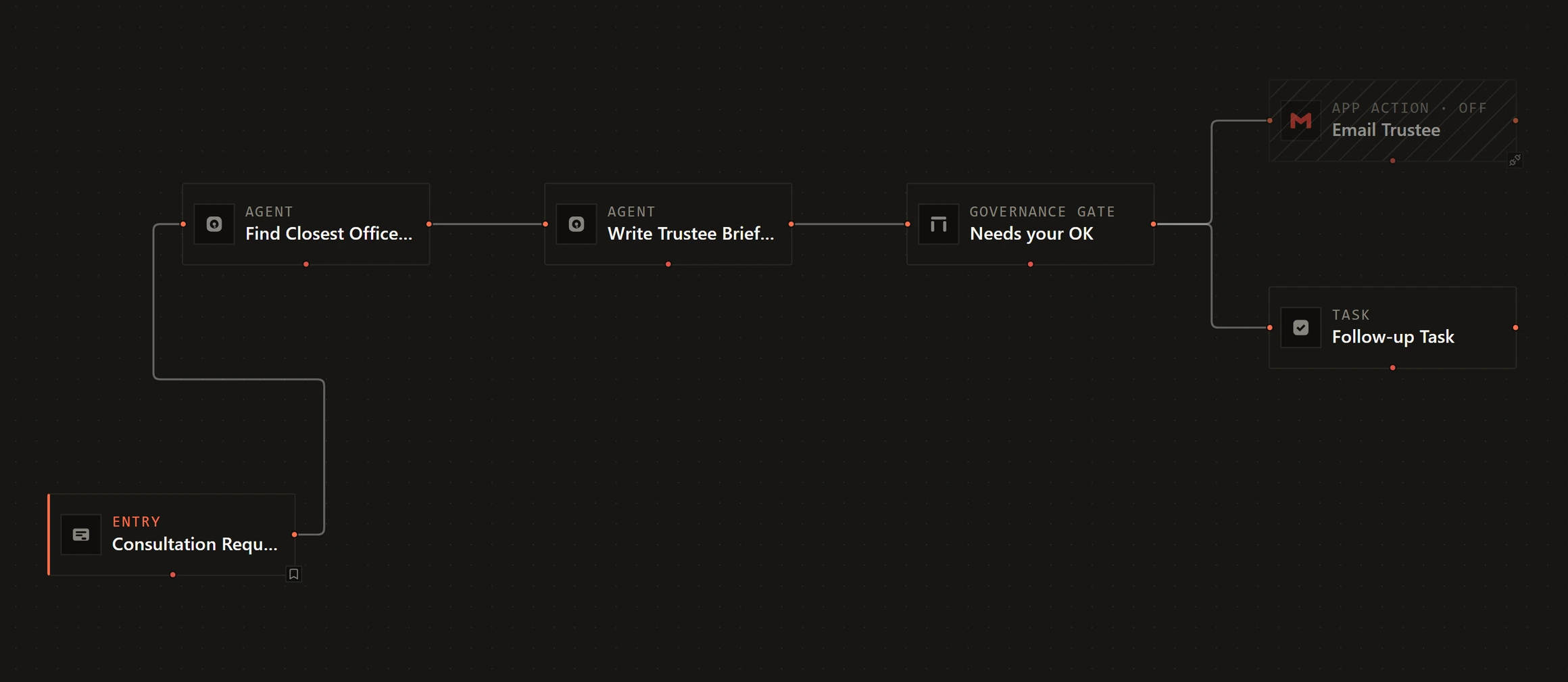
The real thing. Steps wired from entry to outcome, with a governance gate where your OK is needed.
Swipe to see the whole screen
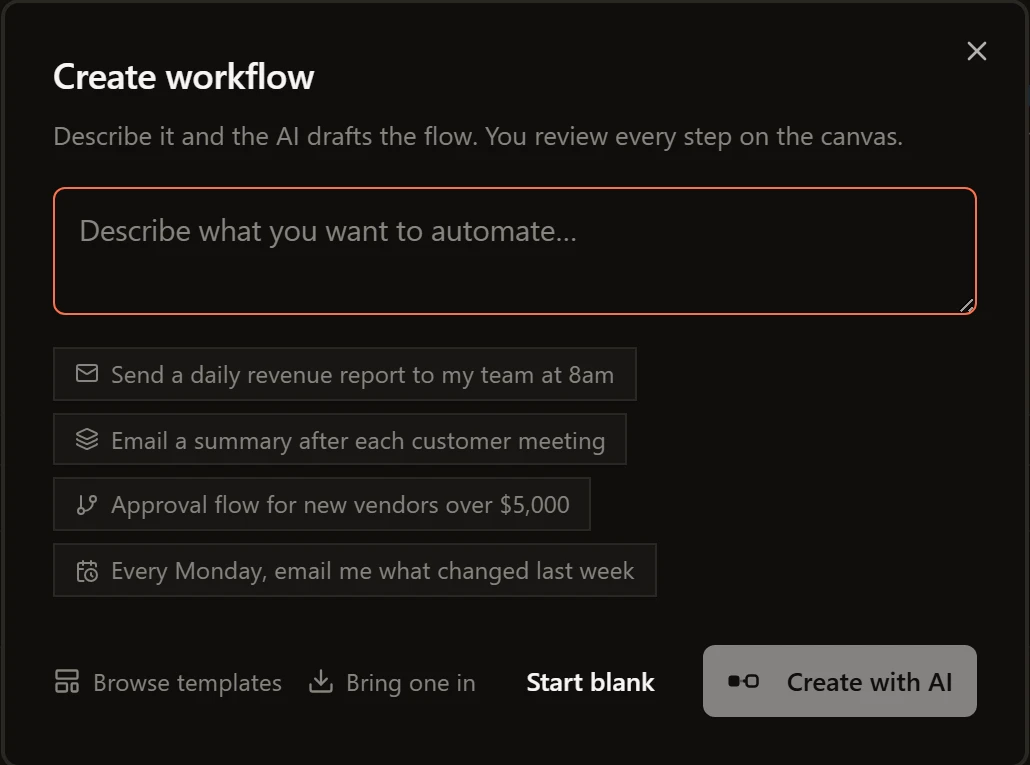
Type what you want, or take a suggested start. The whole flow lands on the canvas and you review every step before it runs.
Swipe to see the whole screen
Triggers, actions, waits, branches, a governance gate, a swarm, a phone call. 29 curated apps, and the long tail by search.
Swipe to see the whole screen
Six categories, from sales follow-ups to reporting. Each shows the apps it needs and whether they are connected.
Swipe to see the whole screen
Replay a run over the graph, diff any two versions before you restore, park a run at a gate for as long as it takes, or record a job once and let the canvas rebuild it.
Each step stamped ok, failed or skipped, the failed one outlined with its error, logs and item counts a click away.
Swipe to see the whole screen
Every save is a snapshot. One is published. Diff any two field by field before you restore.
Swipe to see the whole screen
A run can wait for a date, a delay or a person, and pick up exactly where it stopped, even days later.
Swipe to see the whole screen
Share your screen and click through the job the way you always do. A draft workflow comes back on the canvas for your review.
Swipe to see the whole screen
5x ROI in 30 days. Or we work for free.