
Interact
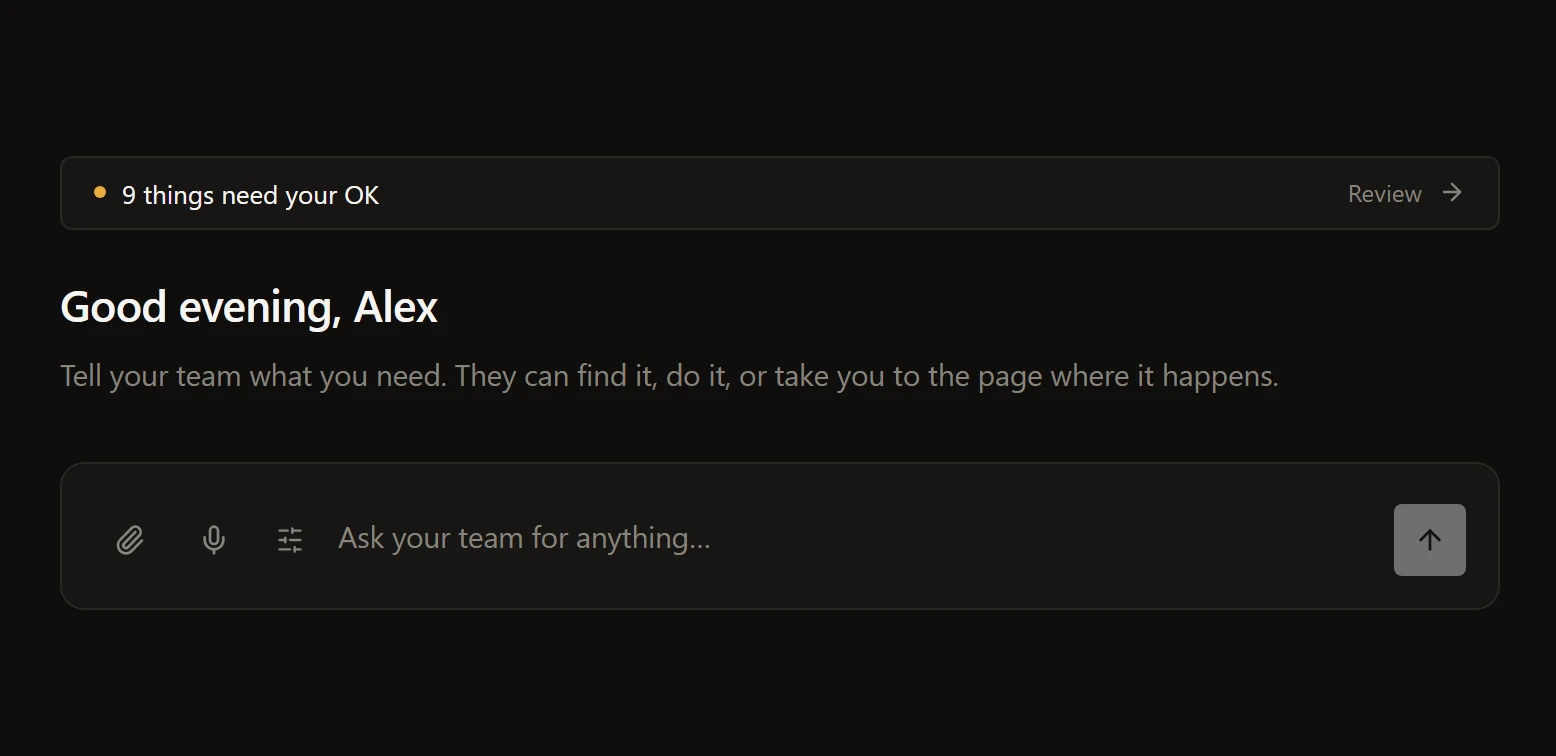
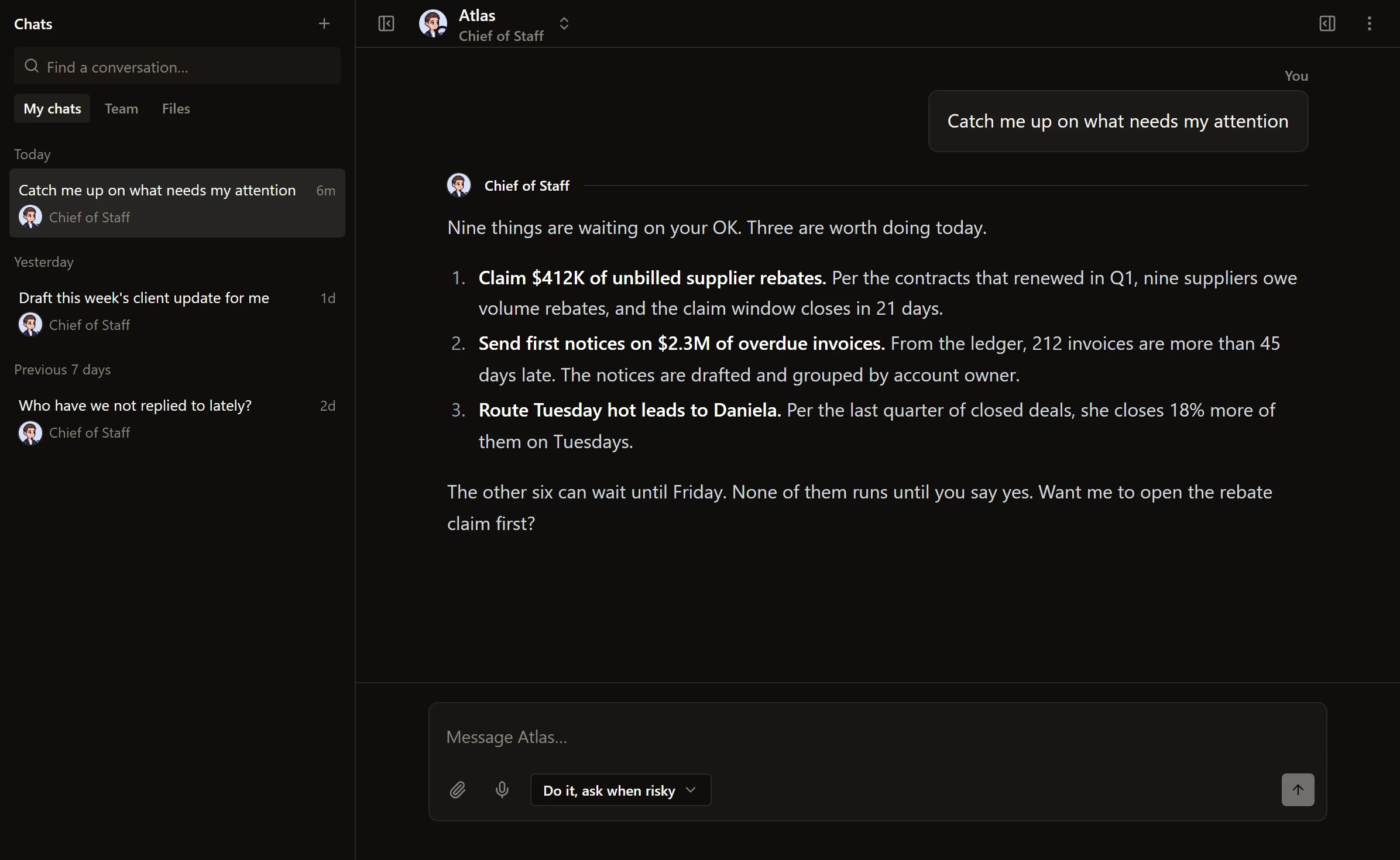
One conversation with your whole team. Open a new chat and type the ask in plain words.
Swipe to see the whole screen
Your AI coworkers, their goals and the work they deliver, behind one login. Anything outbound waits for your OK.
The same coworkers whether you are in the app, in your inbox, in Slack or on your own website.
One conversation with your whole team. Open a new chat and type the ask in plain words.
Swipe to see the whole screen
Your command centre. What needs your OK, and one bar that takes any order.
Swipe to see the whole screen
The yes or no link in a notification opens a logged-out confirmation page. Nothing decides until you press the button.
Swipe to see the whole screen
Publish one as a chat bubble, a chat page or a single task page on your own website, with an origin list and a daily cap.
Swipe to see the whole screen
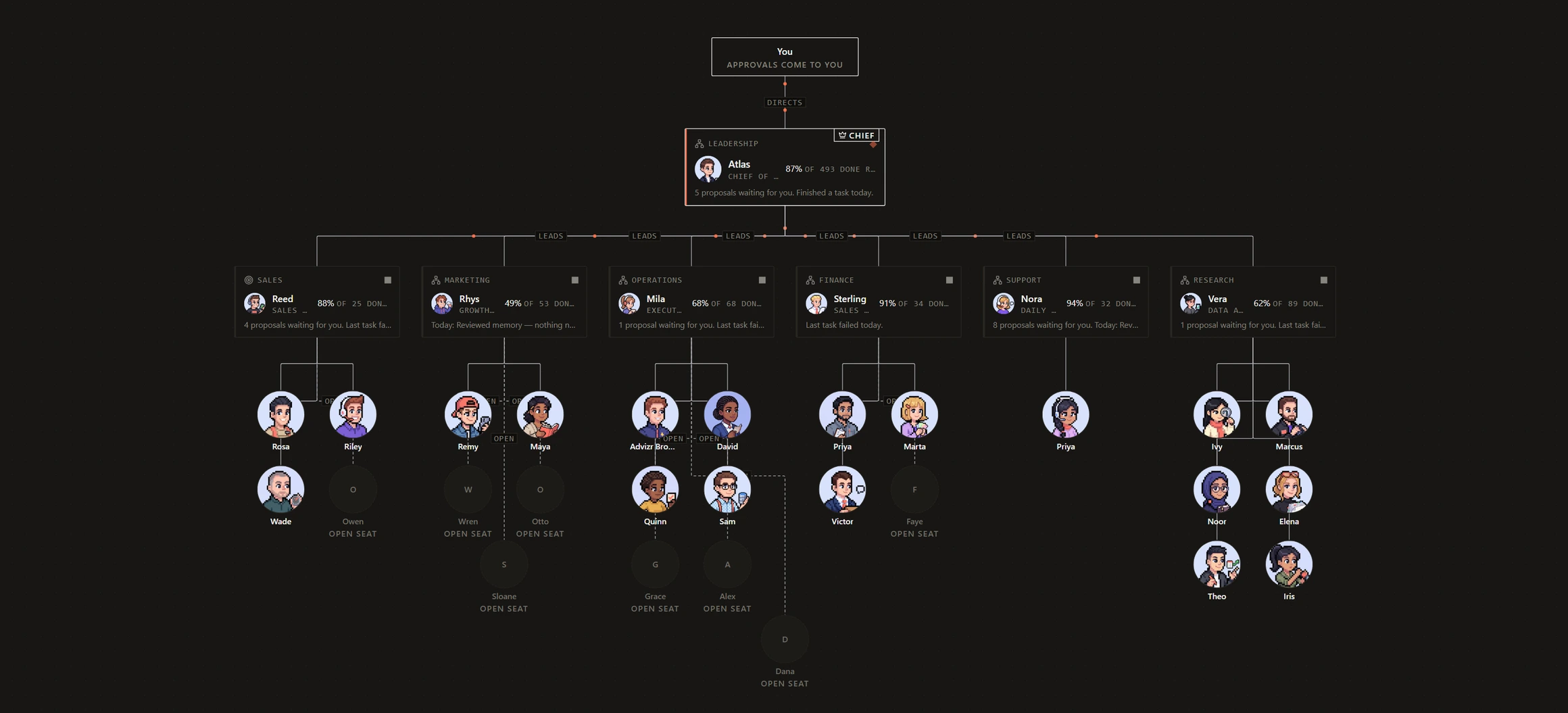
Your AI team sits on The Org, grouped by department. You can see who reports to whom and who is working right now.
Approvals come to you at the top. The Chief of Staff below, six department leads, their reports, and the open seats where the next hires go.
Swipe to see the whole screen
Pre-built roles with a first week already planned, the apps they need, and a promise to check with you first.
Swipe to see the whole screen
Five steps. It reads your documents, notes, apps and team before it drafts a role. You set the jobs and how far each can go.
Have one built for youSwipe to see the whole screen
The draft coworker does one real task with every outbound step simulated. Then you hire, with a 24-hour undo.
Swipe to see the whole screen
Anything that can't be undone waits for a person. You decide how much waiting you want.
What will happen, the quality check, the risk, the cost and whether it can be undone. Then one button.
How the guardrails workSwipe to see the whole screen
Plan first. Do it and ask when risky. Do it without asking. Go deep. Set per conversation, clamped by the server.
Swipe to see the whole screen
Every yes and no you gave, who asked, what it cost and what happened next. Say yes often enough and it offers to stop asking.
Swipe to see the whole screen
Who is working right now, spend this week against the cap, and one button that stops everything.
Swipe to see the whole screen
Automations you can see. Built for you by Advizr, by you from a sentence, or recorded from your screen. 29 step types, 29 curated apps and 1,023 more by search.
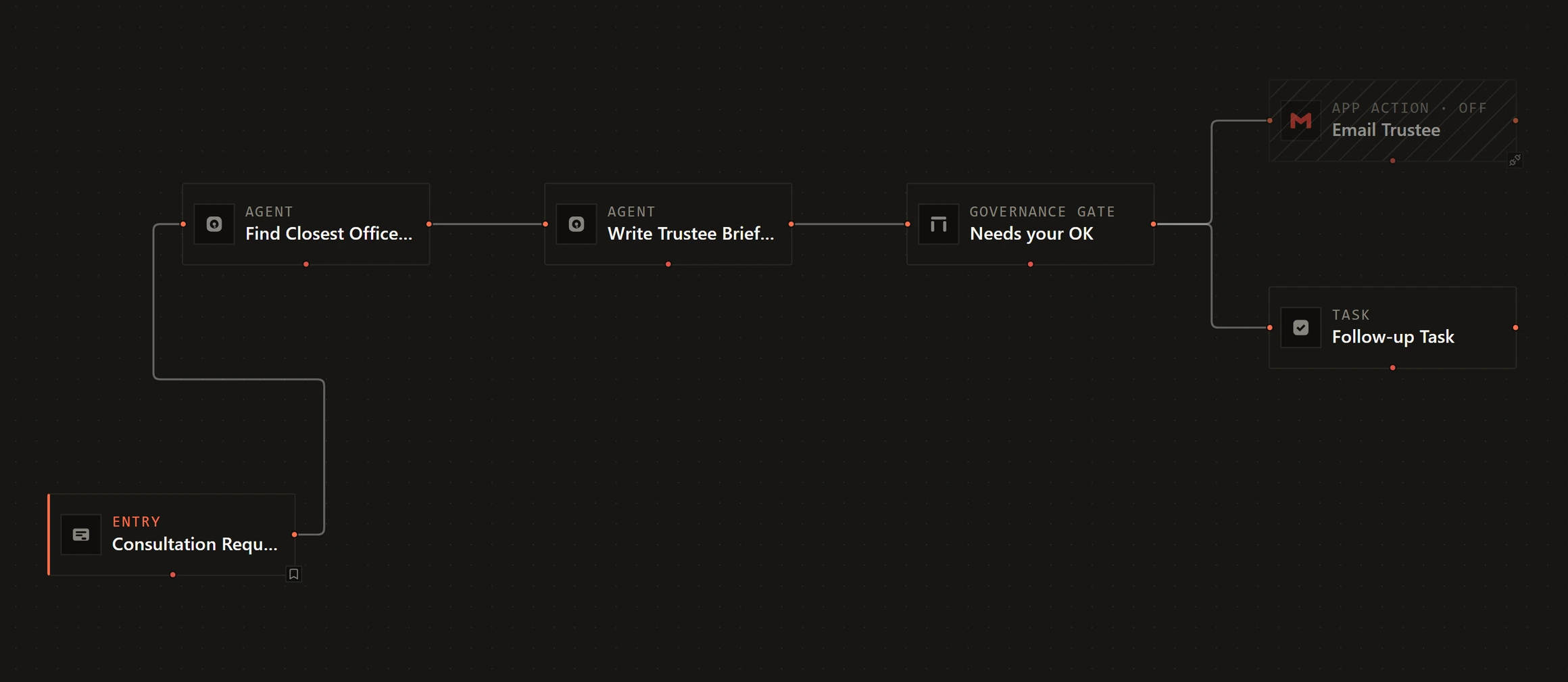
The real thing. Steps wired from entry to outcome, with a governance gate where your OK is needed.
Swipe to see the whole screen
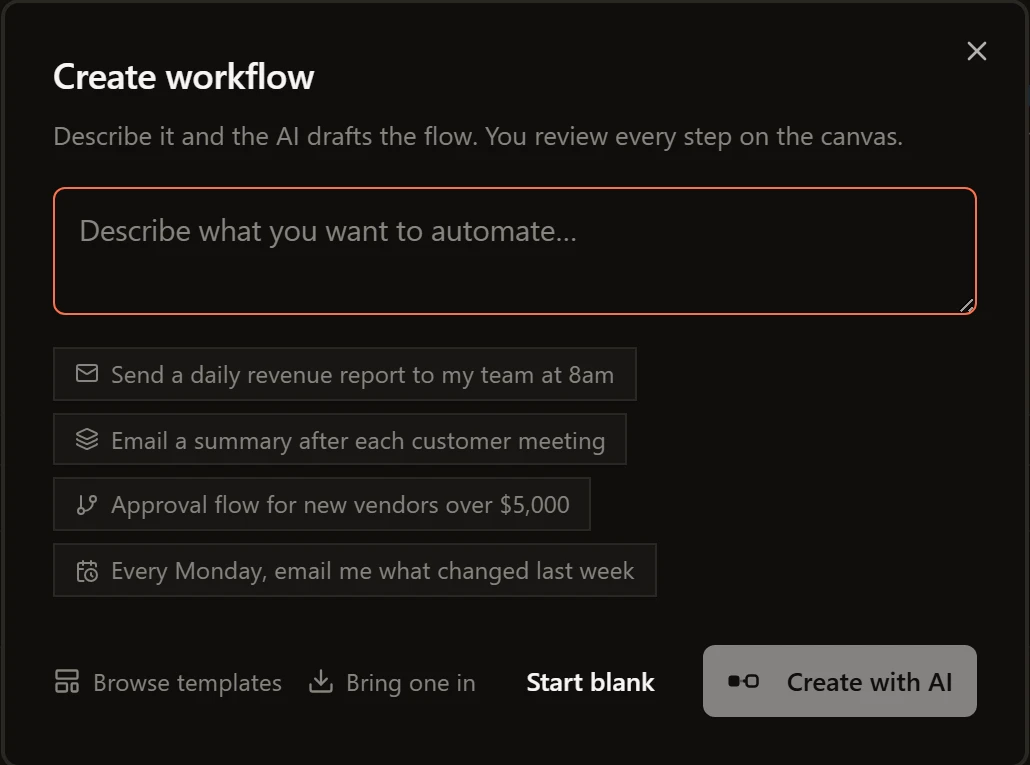
Type what you want, or take a suggested start. The whole flow lands on the canvas and you review every step before it runs.
Swipe to see the whole screen
Share your screen and click through the job the way you always do. A draft workflow comes back on the canvas for your review.
Swipe to see the whole screen
Six categories, from sales follow-ups to reporting. Each one shows the apps it needs and whether they are connected.
Swipe to see the whole screen
Every run leaves a receipt. Every goal has a number.
One page for everything the team did, what is in motion now, and what each delivered result was worth.
Swipe to see the whole screen
The plan it followed, every step under it, and a guarantee table that shows the checks that did not run as plainly as the ones that passed.
Swipe to see the whole screen
The number you hired the team to move, the pace to get there, and the coworkers feeding it.
Swipe to see the whole screen
A print-clean one-pager per goal, and a weekly letter from your Chief of Staff. Forward either one.
Swipe to see the whole screen
Your company, written down and askable.
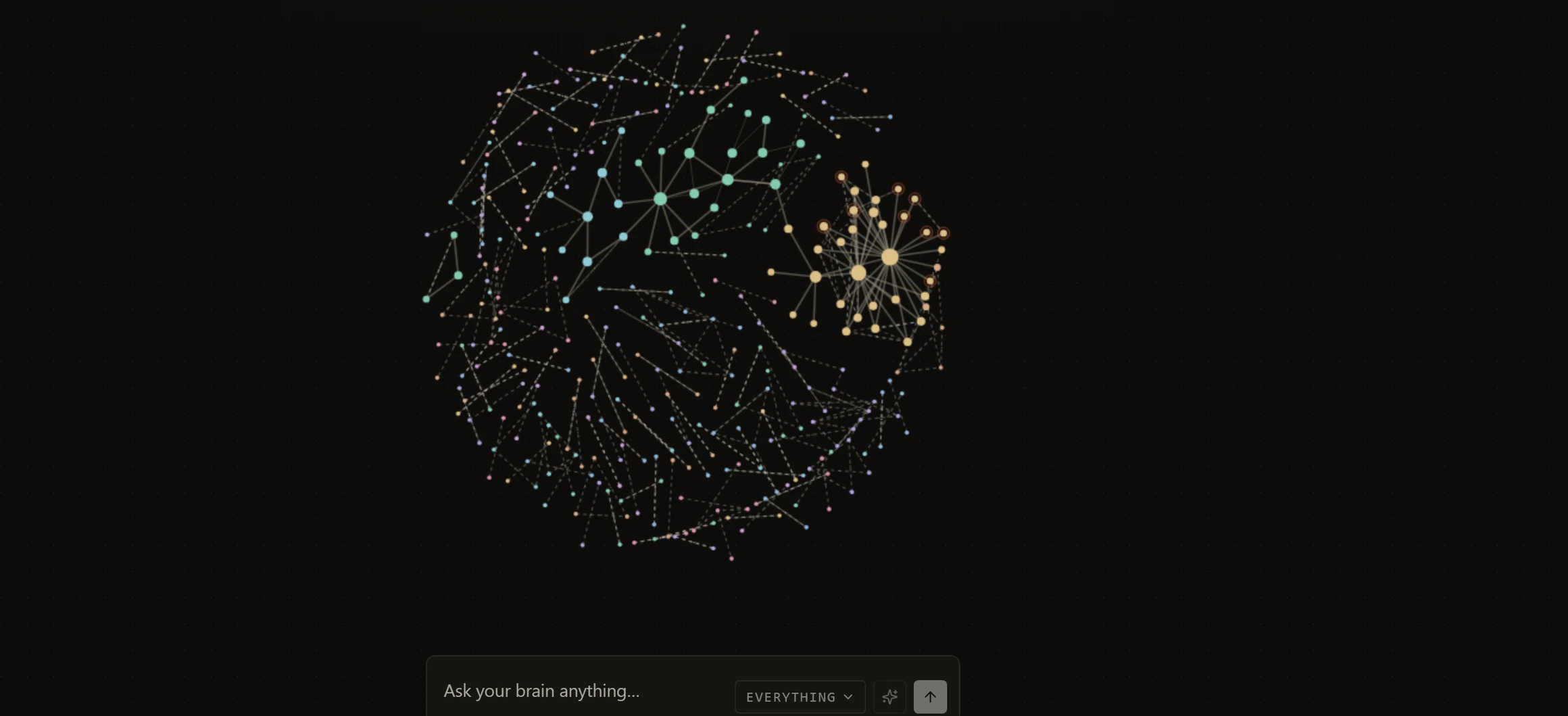
Every note, document and link the team has read, as one constellation. Clusters light up where things connect. Ask from inside it.
Swipe to see the whole screen
A cited answer with the retrieval ledger above it. Turn it into a document, download it or share it.
Swipe to see the whole screen
Files, connected folders, notes and uploads, each with a live reading status. Five ways to add more.
Swipe to see the whole screen
What you told us and what we figured out. Each one is yours to confirm, correct or forget.
Swipe to see the whole screen
Connect what you already use. Choose whose servers may see your prompts.
Each app says what your team can do with it. Sends as you. Reads only. Posts as you. One click to connect.
The connector fabricSwipe to see the whole screen
Search the long tail by name, or describe the job and get three suggestions with reasons.
Swipe to see the whole screen
Hard work, everyday work and quick jobs each run on a model sized for them, with backups lined up behind it. Pin any coworker to a model or a tier.
Swipe to see the whole screen
Pick which models your team may run and which companies may process your prompts. Training on them stays off.
Swipe to see the whole screen
An agency behind the login, and a curriculum inside it.
Pick a time from your assigned engineer's real calendar, inside the app.
Swipe to see the whole screen
10 lessons with a tutor that answers from the lesson, frameworks you can dry-run on your own account, and live sessions.
See the curriculumSwipe to see the whole screen
The documentation for the screen you are on opens beside it. 78 pages, and a support ticket one click away.
Swipe to see the whole screen
A pinned thread with the people who built your workspace, and a Talk to a person chip on any failed turn.
Swipe to see the whole screen
Every engagement is delivered through this platform. You own your data and your configuration, with an export you can run any time. Advizr licenses the platform while you run on it. The baseline you sign before we build and the outcomes measured against it live on the analytics surface, so checking whether we are earning our fee takes one login, not a meeting. The systems behind it are on the services page.
Every first build is covered: 5x ROI in 30 days. Or we work for free. Read the full terms
5x ROI in 30 days. Or we work for free.